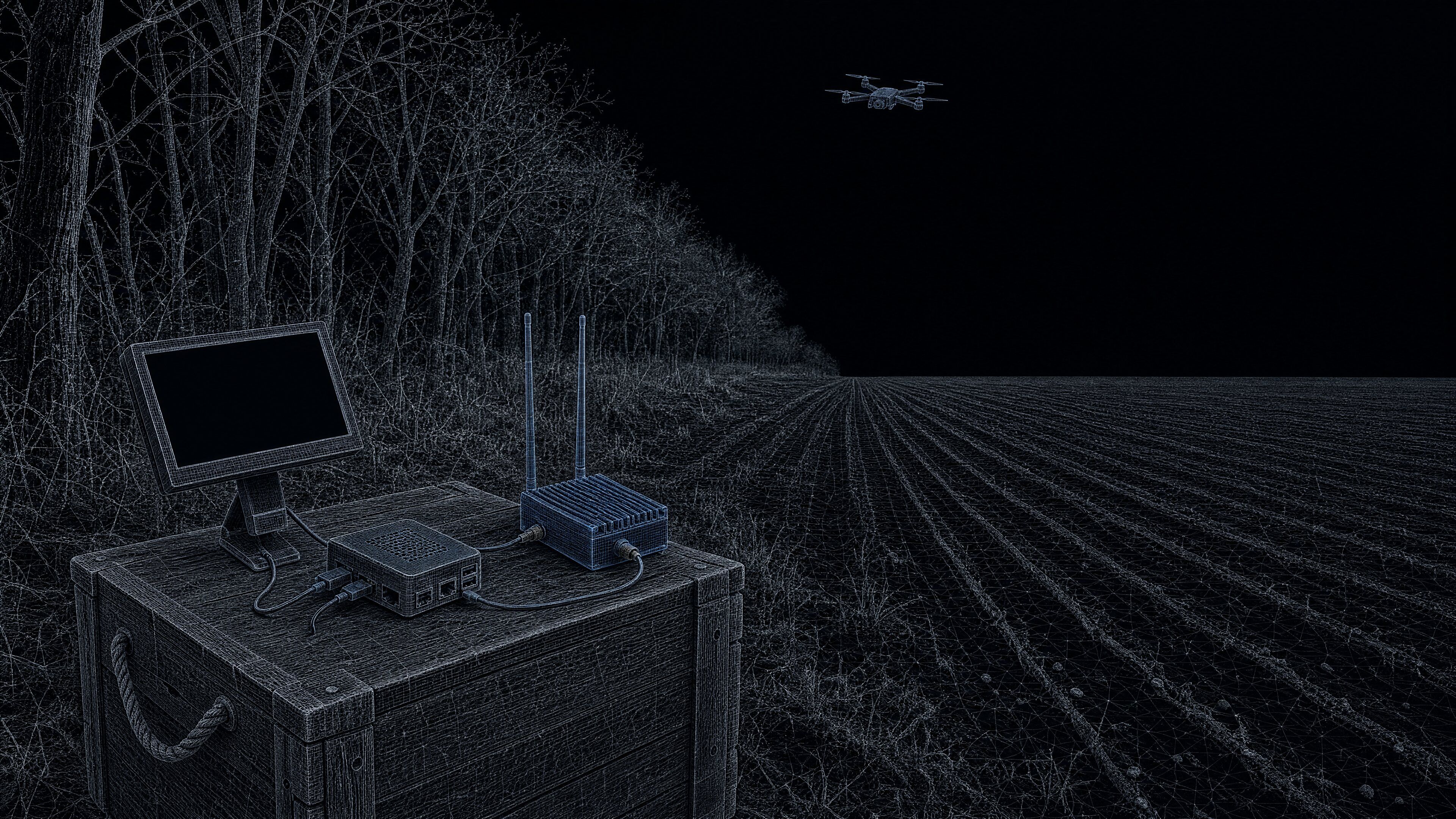
Scanner for analogue FPV video transmitters
Beta 0.91 · coming soonUVS FPV Scanner
Switch it on and it finds an analogue FPV video transmitter by itself, retunes to it and shows the picture on an HDMI monitor.
- The default preset sweeps the whole LibreSDR range, not just the FPV channels
- 70–6000 MHz
- 1.2/1.3 · 2.4 · 3.3 · 5.8 GHz and the full range; your own of up to 8 bands
- 4 + 1 presets
- Analogue video, colour or black-and-white, straight from the SDR
- NTSC / PAL
- Time for the picture to move to the backup HackRF One if the LibreSDR drops out
- ≈30 s
01 · Screen
From power-on to picture, no mouse
What does the scanner do while you watch?
It opens full screen, finds the radio, sweeps, locks onto a transmitter and shows the picture. When the transmitter goes, it goes back to searching.
- 01
Sweep
A pass over the selected bands, 70–6000 MHz by default.
- 02
Lock
Finds an analogue video transmitter and retunes to it.
- 03
Picture
NTSC or PAL, with a spectrum and a waterfall beneath.
- 04
Sweep again
When the transmitter goes, the scanner goes back to searching.
02 · Benefits
The whole picture on one monitor
Why this scanner?
- 01
Free
From 1 November, download the images, flash the microSD cards, and it runs on your own hardware.
- 02
Colour video from the SDR
NTSC · PALNTSC and PAL in colour. The PortaPack analogue TV app shows only black-and-white AM-PAL.
- 03
Recovers by itself
Brings the picture back after a short dropout, and searches again when the transmitter goes.
- 04
Channel list
Found transmitters with signal levels; switch to another with a double-click.
- 05
In Ukrainian
UA · ENInterface in Ukrainian and English, night and day themes, an illustrated guide.
- 06
Keeps its settings
Changes take effect at once and are kept after power-off.
03 · Hardware
Your hardware, our images
What do you need to put together?
A Raspberry Pi 5, a LibreSDR, antennas and any HDMI monitor. A mouse to choose another transmitter, preset or radio; a keyboard only to name a preset or type frequencies.
LibreSDR
main radio
microSD · imageRaspberry Pi 5
UVS FPV Scanner
microSD · imageHDMI monitor
picture and spectrum
HackRF One
backup radio · optional
04 · Backup
Two radios, and the picture stays
What if the LibreSDR drops out?
While the LibreSDR works, the HackRF One waits. If it drops out, the picture moves to the HackRF by itself, and moves back once the LibreSDR returns.
- ✕LibreSDR drops out
- ≈30 s
- Picture source: HackRF One
- LibreSDR is back
- ≈1.5 min
- Picture source: LibreSDR
05 · Bands
The whole range, or just your bands
Where should it look?
A single-band preset gives a shorter sweep, at the cost of not seeing transmitters on other frequencies.
Your own presets
Up to 8 bands each, for example only the frequencies the enemy uses in your sector.
06 · Download
Free. Flash it and it runs
- 01Download the images (from 1 November)
- 02Flash two microSD cards
- 03Insert in the Pi 5 and LibreSDR
- 04Power on
The UVS FPV Scanner application is closed-source; the image also contains open-source components (Linux and others) under their own licences.
Downloads
Coming soon — free
The microSD images and guides will be available here soon. Expected release date: 1 November 2026.
Terms of use
UVS FPV Scanner is provided free of charge and as is, without any warranty, express or implied. The software runs on hardware that the user chooses, assembles and configures, in conditions we neither define nor control; the user is responsible for its use and its consequences. This is a free beta, so we undertake no obligation to provide support.
07 · Specs
Specifications
- Type
- Scanner for analogue FPV video transmitters
- Platform
- Raspberry Pi 5; output to an HDMI monitor; USB mouse (to choose another transmitter, preset or radio); USB keyboard only to name presets or type frequencies
- Main radio
- LibreSDR, connected over Ethernet
- Backup radio
- HackRF One over USB, with or without a PortaPack screen — optional
- Sweep range
-
- 70–6000 MHz with LibreSDR
- 1–6000 MHz with HackRF One (default presets)
- Band presets
-
- 1.2/1.3
- 2.4
- 3.3
- 5.8 GHz and the full range; custom presets of up to 8 bands
- Video
- Analogue, NTSC or PAL; colour or black-and-white
- Audio
- None
- Interface
-
- Ukrainian
- English; night and day themes
- Hardware
- The user's own: Raspberry Pi 5, LibreSDR, antennas, HDMI monitor
- Distribution
- Free, as is; ready-made microSD images for the Raspberry Pi 5 and the LibreSDR. The UVS FPV Scanner application is closed-source; the image also contains open-source components (Linux and others) under their own licences
- Status
- Beta 0.91
Full description
Free, beta 0.91. The images will be available to anyone from 1 November 2026 and provided as is, without warranty.
Why UVS FPV Scanner
- Free. After the release, download the images, flash the microSD cards — and the scanner runs on your own hardware.
- Colour NTSC and PAL video straight from the SDR. For comparison, the PortaPack analogue TV app shows only black-and-white AM-PAL.
- Runs on its own from the moment it is switched on. It opens full screen by itself, finds the radio, sweeps, locks onto an analogue video transmitter and shows its picture — no mouse needed for any of it.
- Recovers by itself. After a short dropout the scanner brings the picture back on its own, and when the transmitter disappears it goes back to searching, as long as the operator has not picked a transmitter by hand.
- The whole 70–6000 MHz range by default. The default preset searches every frequency in the range (1–6000 MHz with a HackRF), not just the standard FPV channels.
- Two radios with automatic failover. With a HackRF One attached, the picture moves to it by itself within about 30 seconds if the LibreSDR drops out, and returns to the LibreSDR within about a minute and a half once it is back.
- The whole picture on one HDMI monitor. Video, spectrum, waterfall and the list of found transmitters with their signal levels; switch to another transmitter with a double-click.
- Custom presets of up to 8 bands. Narrow the search, for example, to the frequencies the enemy uses in your sector, or switch back to the full-range preset at any time.
- In Ukrainian. Interface in Ukrainian and English, plus a step-by-step illustrated guide.
What it is
UVS FPV Scanner is software for a Raspberry Pi 5 that finds analogue FPV video transmitters and shows their picture. The main radio is a LibreSDR, connected to the Raspberry Pi over Ethernet; the picture goes to an ordinary HDMI monitor. Ready-made images for the Raspberry Pi and the LibreSDR will be published on this page on 1 November 2026: you write them to microSD cards and put them in your own hardware.
How it works
Once the radio and the Raspberry Pi are powered, the scanner opens full-screen and works without input. It finds the radio, then sweeps the selected bands — by default the whole 70–6000 MHz range. When it detects an analogue video transmitter, it retunes to it and shows the picture, NTSC or PAL, in colour or black-and-white. Under the picture are a spectrum and a waterfall; beside it, a channel list of the transmitters found, with their signal levels. A double-click on another channel switches the picture to that transmitter.
In normal operation no mouse is needed; it is used to choose another transmitter, preset or radio, and for the occasional manual recovery step. The scanner has no audio.
Bands and presets
Built-in presets cover the 1.2/1.3, 2.4, 3.3 and 5.8 GHz bands and the full range. A single-band preset gives a shorter sweep, at the cost of not seeing transmitters on other frequencies. Your own presets can hold up to 8 bands each. Naming a preset or typing its frequencies needs a USB keyboard.
Backup radio
A HackRF One, with or without a PortaPack screen, can be connected over USB as a backup. A HackRF with a PortaPack has to be switched to HackRF mode on its own screen after each power-on; until then the scanner does not use it. While the LibreSDR works, the HackRF waits; if the LibreSDR drops out, the picture moves to the HackRF within about 30 seconds, and returns to the LibreSDR within about a minute and a half once it is back. The HackRF can also be selected as the main radio, in which case the sweep runs from 1 to 6000 MHz.
Interface
The interface is in Ukrainian and English, with night and day themes. Settings take effect immediately and are kept after power-off.
Terms of use
UVS FPV Scanner is provided free of charge and as is, without any warranty, express or implied. The software runs on hardware that the user chooses, assembles and configures, in conditions we neither define nor control; the user is responsible for its use and its consequences. This is a free beta, so we undertake no obligation to provide support.
Feedback and suggestions are welcome through the contact form.
08 · Questions
FAQ
What signals does the scanner find and display?
UVS FPV Scanner finds analogue FPV video transmitters, retunes to one by itself and shows its picture in NTSC or PAL, colour or black-and-white. The scanner has no audio.
Does it need an operator sitting at it all the time?
No. Once powered, the scanner opens full-screen, finds the radio, sweeps, locks onto a transmitter and shows the picture by itself, and after a short dropout it brings the picture back on its own. A mouse is only needed to pick another transmitter, preset or radio; once the operator has picked a transmitter by hand, automatic selection resumes after the next power-on.
What hardware do I need to run it?
A Raspberry Pi 5 with a 5.1 V / 5 A USB-C supply, a LibreSDR with an antenna and a 5 V (at least 2 A) USB-C supply, an Ethernet cable between them, an HDMI monitor with a micro-HDMI cable, a USB mouse and two microSD cards of 4 GB or more. A HackRF One with an antenna can be added as an optional backup radio.
What happens if the main radio fails in the field?
With a HackRF One attached, the picture moves to it by itself within about 30 seconds of the LibreSDR dropping out, and returns to the LibreSDR within about a minute and a half once it is back. A HackRF with a PortaPack screen has to be switched to HackRF mode on its own screen after each power-on. Without a HackRF, the picture usually comes back by itself once the LibreSDR recovers.
Can we narrow the search to the frequencies the enemy uses in our sector?
Yes. Besides the built-in 1.2/1.3, 2.4, 3.3 and 5.8 GHz and full-range presets, you can create your own presets of up to 8 bands. By default the scanner searches every frequency from 70 to 6000 MHz (1–6000 MHz with a HackRF), not just the standard FPV channels.
What does it cost, and is there support?
UVS FPV Scanner is free and provided as is, without warranty and with no support obligation. The application itself is closed-source. Feedback and suggestions are welcome through the contact form on the site.
How do we get and install it?
Ready-made images for the Raspberry Pi 5 and the LibreSDR will be published on the product page on 1 November 2026. You write both images to two microSD cards with Raspberry Pi Imager; step-by-step illustrated guides in Ukrainian cover this and the scanner's use.
Tell us how the scanner works for you
Feedback and suggestions for the beta, through the contact form.